Refer to follow the instructions to backup Microsoft Exchange Server 2013:
- Install OBM on the MS Exchange Server.
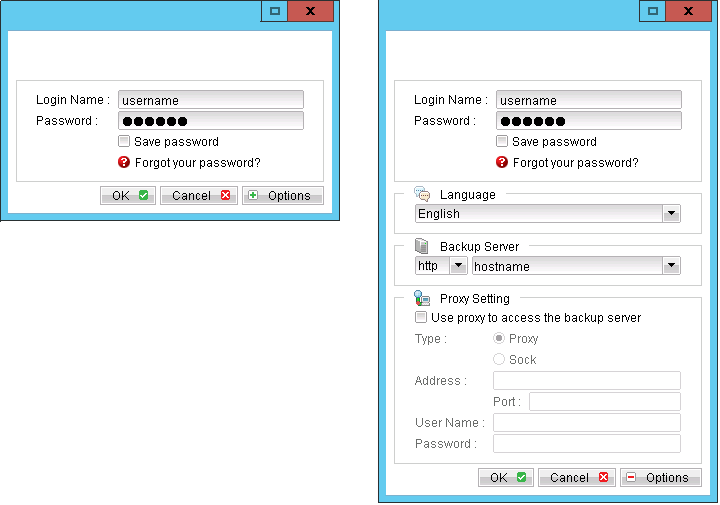
- Login to the backup application's user interface.
- Select the [Backup Settings] button and the
 button to start the New Backup Set Wizard.
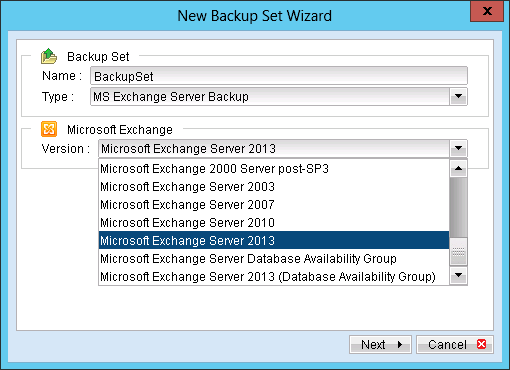
 - Enter the name of the backup set.
- Create a MS Exchange Server Backup set by selecting [MS Exchange Server Backup] from the backup set type dropdown menu.
- Select the corresponding Exchange version from the version dropdown menu.
- Select [Next] to proceed.
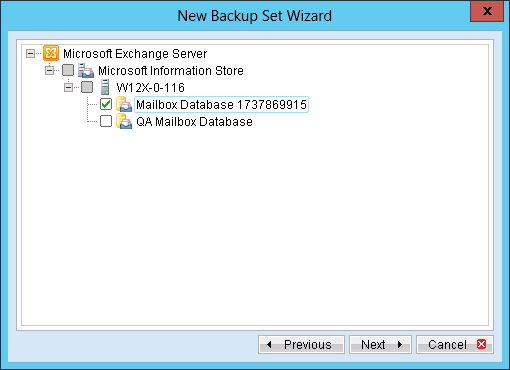
- In the backup source selection screen, select the Information Store for backup.
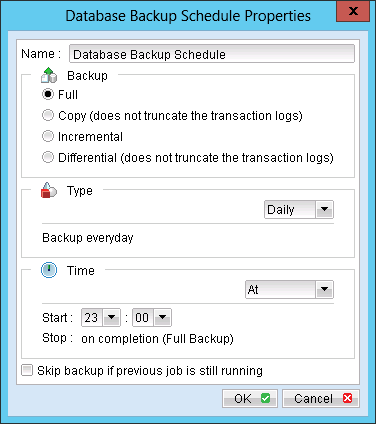
- Configure a backup schedule for unattended backups.
- Select an encryption setting for your backup set.
- Press the [OK] button to complete the configuration of the [New Backup Size Wizard].
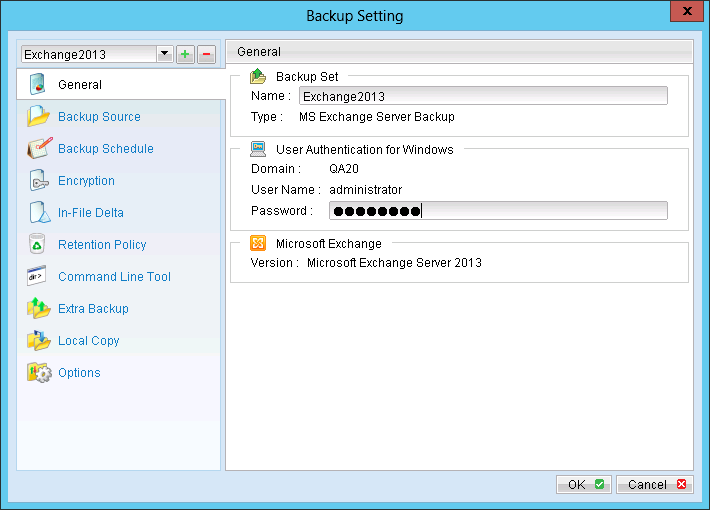
- Please be reminded to fill in the [User Authentication for Windows] setting if a network path is selected.
- Configure the temporary backup folder, select [Backup Setting], [Options].
- Scheduled backup will run automatically at the configured schedule time.
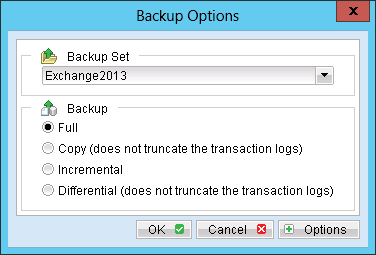
- Click [Backup] button on the left panel to perform a backup immediately.
Menu Items |
Description |
Name |
Enter a backup schedule name of your choice. |
Backup |
Select backup type [Full / Copy / Incremental / Differential]. |
Type |
Select backup schedule type [Daily / Weekly / Monthly / Custom]. |
Time |
Select backup schedule time type [At / Periodically]. Note: Select backup schedule time at to perform backup at a certain time, or select backup schedule time periodically to perform backup every X minutes / hours. |
Skip backup if previous job is still running |
Select whether to stop the backup job from running if a previous backup job is still running. |
Further details on Backup Type:
Backup Type |
Description |
Full |
Backup the databases, transaction logs, checkpoint files and then truncates the transaction logs. |
Copy |
Backup the databases, transaction logs, checkpoint files but does not truncate the transaction logs. |
Incremental |
Backup the transaction logs to record changes since the last full or incremental backup and then truncates the transaction logs. |
Differencial |
Backup the transaction logs to record changes since the last full or incremental backup and does not truncate the transaction logs. |
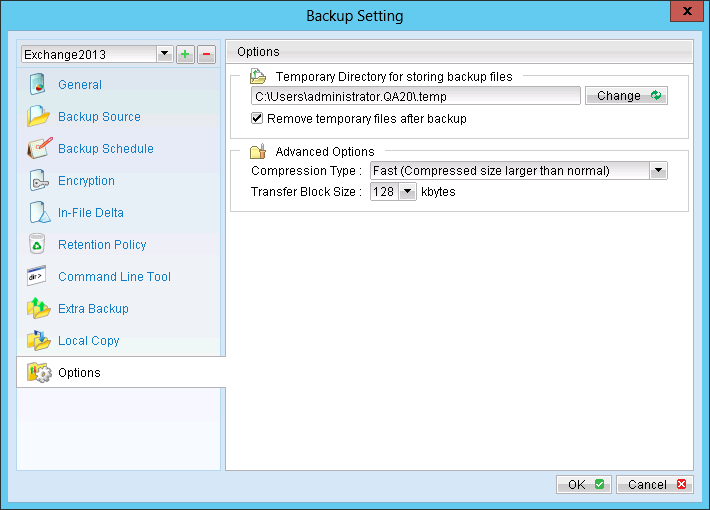
Note: The temporary directory can be set to a local or network path.
Menu Items |
Description |
Backup |
Select backup type Select backup type [Full / Copy / Incremental / Differential]. |
Backup Type |
Description |
Full |
Backup the databases, transaction logs, checkpoint files and then truncates the transaction logs. |
Copy |
Backup the databases, transaction logs, checkpoint files but does not truncate the transaction logs. |
Incremental |
Backup the transaction logs to record changes since the last full or incremental backup and then truncates the transaction logs. |
Differential |
Backup the transaction logs to record changes since the last full or incremental backup and does not truncate the transaction logs. |
Important:
For Exchange server with Active Directory installed, a System State backup must be performed regularly with the MS Exchange server backup.