Refer to the following instructions to backup Windows System State:
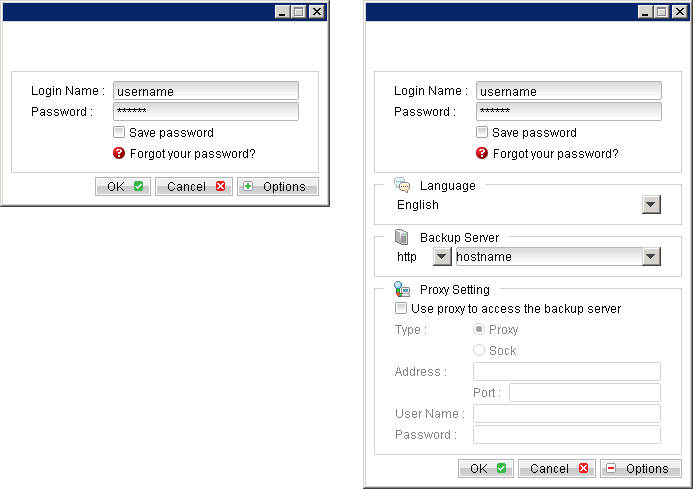
- Login to the backup application's user interface.
- Select the [Backup Settings] button and the
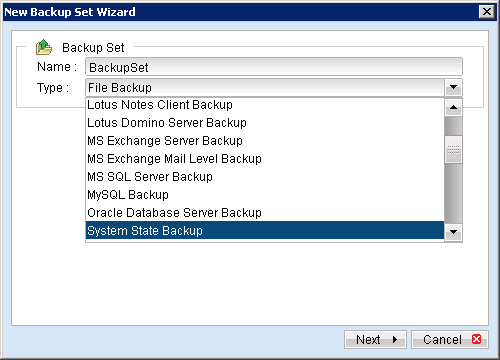
 button to start the New Backup Set Wizard.
 - Create a System State Backup set by selecting [System State Backup] from the backup set type dropdown menu.
- Select [Next] to proceed.
- Configure a backup schedule for unattended backups.
- Select an encryption setting for your backup set.
- Press the [OK] button to complete the configuration of backup set.
- Scheduled backup will run automatically at the configured schedule time.
- Click [Backup] button on the left panel to perform a backup immediately.