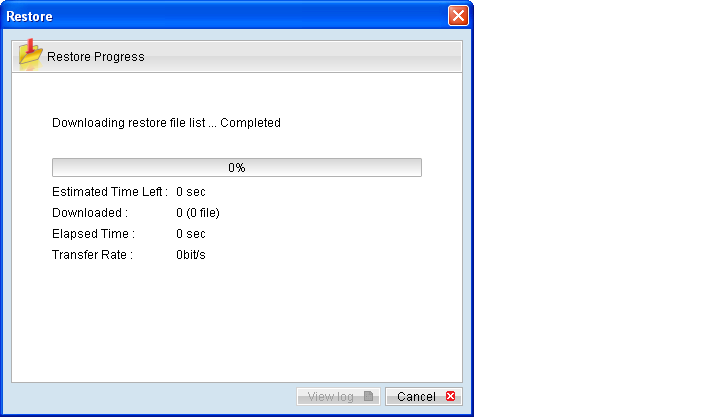
Refer to the following steps to restore using the backup application's (OBM / ACB) user interface:
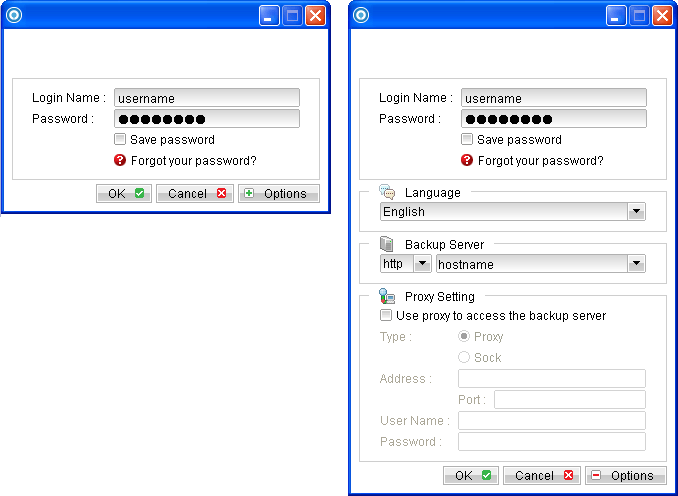
- Login to the backup application's user interface.
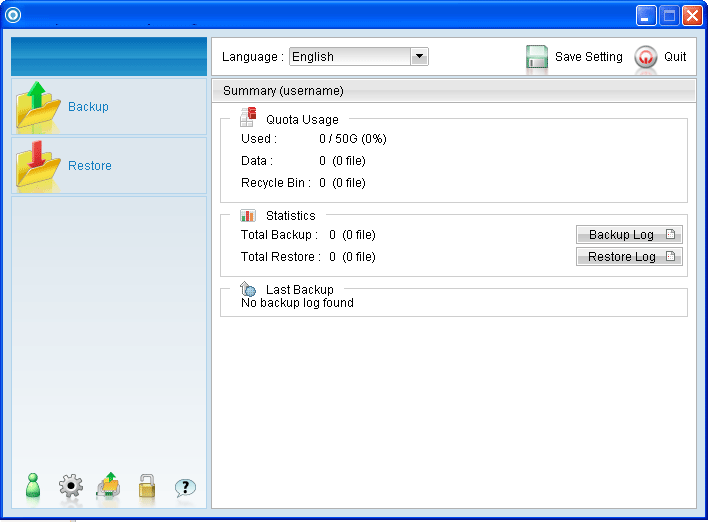
- Click on the [Restore] button on the backup application's main window to open the Restore Menu.
- Select the [Show files as of Job] to display files available as of a particular backup job.
- Expand the directories by selecting the
 button beside a folder.
 - Make use of the other options such as [Filter], [Search] and [Advanced] option available, more details can be found in the sections above.
- For restore to the original location on the client machine, select the [Original location] radio button.
- Click [Start Restore] to begin the restore process.
To display the files available for restore since the backup job performed on 11:00 AM, Mar 11th, 2011, select [Show files as of Job], [2011/03/11] and [11:00:00] Select the [Show all files] to display all files available for restore.
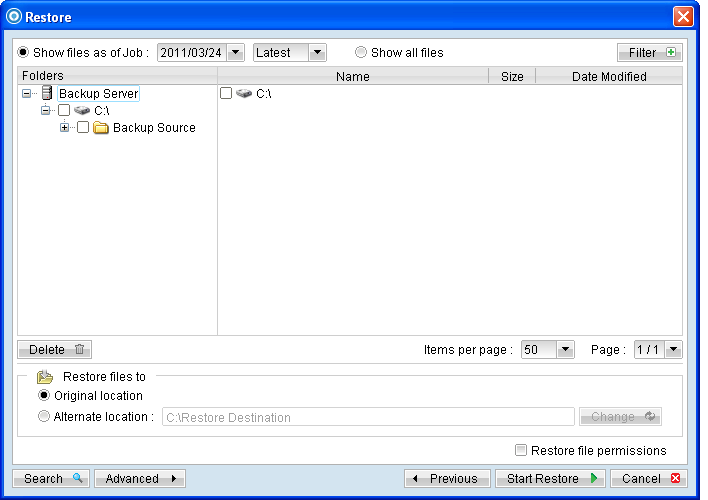
For restore to an alternate location, select the [Alternate location] radio button, and click [Change] to change the directory path which you would like to restore to.