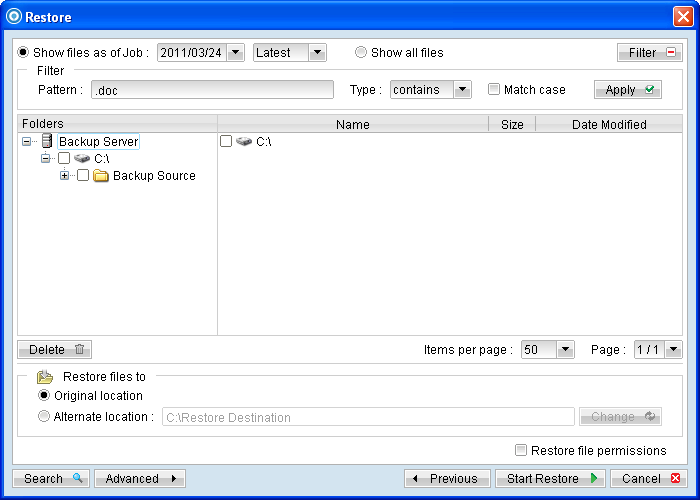
Menu Items |
Description |
Pattern |
Input box for entering the pattern of files that you would like to show. Note: Backup filter is case sensitive. |
Type |
Dropdown menu for selecting the type of pattern, they includes: [contains] [exact] [starts with] [ends with] |
Match case |
Checkbox to enable or disable case sensitivity. |
Apply |
Click to apply the filter settings. |
*The availability of features listed above may be service provider dependent. If a feature is not available, please check with your service provider for further details and availability. The [Filter] option can be used to restore only files that follow a certain pattern. For example, Words document file with .doc extension. Enter .doc into the [Pattern] textbox, select [ends with] from the [Type] dropdown menu, and then click [Apply].