 Click on the [General] tab to modify the [Backup Set Name] or [User Authentication for Windows] setting.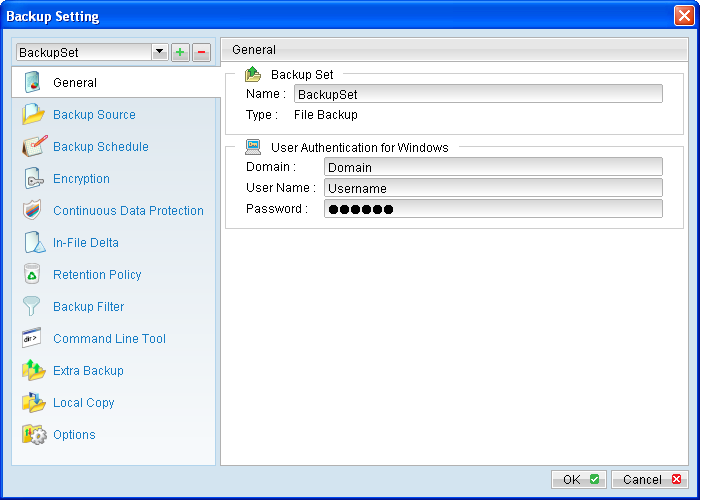
Menu Items |
Description |
Domain |
Input box for entering domain of the Windows domain account. |
User Name |
Input box for entering username of the Windows domain account. |
Password |
Input box for entering password of the Windows domain account. |
*The availability of features listed above may be service provider dependent. If a feature is not available, please check with your service provider for further details and availability.