Transfer block size defines the block size that the backup application will use to transfer your backup data to the backup server.
 Note that certain firewall applications or proxy servers may block out-going network traffic with large block size for security reasons.
If you are in a network with this type of restriction, please lower the transfer block size value
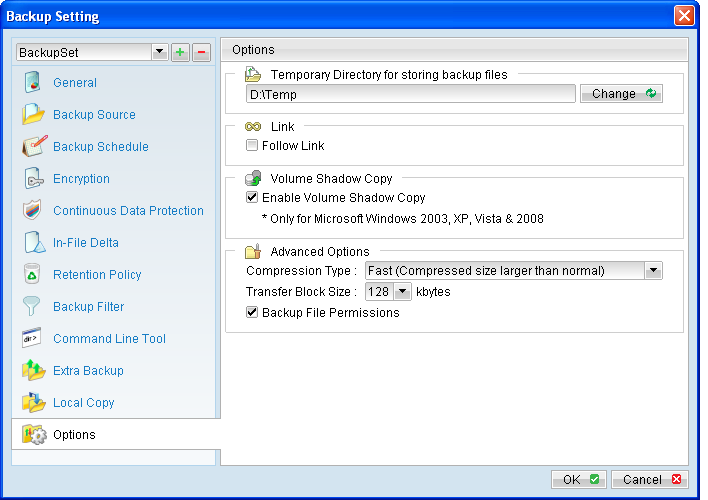
To change the transfer block size of any backup set, select the [Options] tab on the left panel and then select the corresponding block size from the [Transfer Block Size] dropdown menu.
Note that certain firewall applications or proxy servers may block out-going network traffic with large block size for security reasons.
If you are in a network with this type of restriction, please lower the transfer block size value
To change the transfer block size of any backup set, select the [Options] tab on the left panel and then select the corresponding block size from the [Transfer Block Size] dropdown menu.
Press the [OK] button, and save before exiting out of the backup application.