Enable Volume Shadow Copy defines whether to enable Microsoft Volume Shadow Copy Service (VSS) for the backup set.
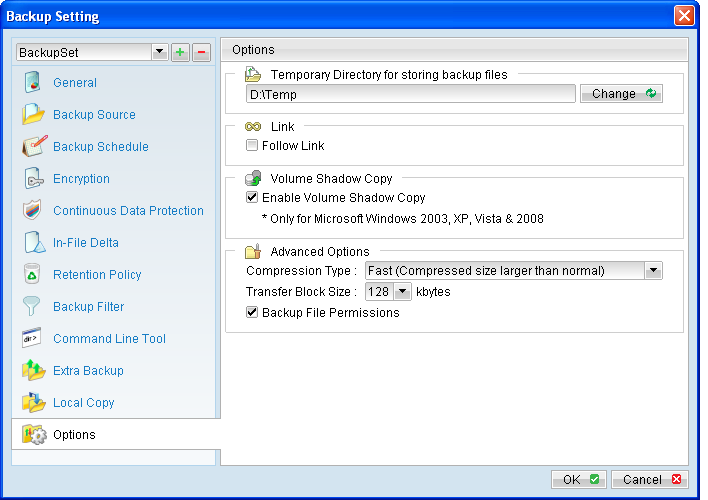
Enable Volume Shadow Copy |
Action |
Enabled |
Create a snapshot of the data to be backed up for exclusively opened file. |
Disabled |
Do not create a snapshot of the data to be backed up for exclusively opened file. Error message will be shown for files that are opened during the backup process. |
*The availability of features listed above may be service provider dependent. If a feature is not available, please check with your service provider for further details and availability. Enabling the Volume Shadow Copy option will allow backup of local files that are exclusively opened during the backup process (e.g. Outlook PST file). Some requirements of the Volume Shadow Copy option include:
- Volume Shadow Copy can only be applied for local drive; exclusively opened file on network shared drive cannot be backed up even with the Volume Shadow Copy option enabled.
- Volume Shadow Copy is only available on Windows platforms released after Windows 2000 (e.g. XP / 2003 / Vista / 2008 / 7 / SBS 2011).
- The user using the backup application must have administrative privileges to access the Volume Shadow Copy service on a computer.
- At least one of the partitions on the machine must be in NTFS format.
For more technical information on Volume Shadow Copy, please refer to following page from Microsoft for details: http://technet.microsoft.com/en-us/library/cc785914(WS.10).aspx