Please ensure that the following requirements are met by the MS Exchange server:
- OBM version 6.13.0.0 or above is installed on the Exchange server.
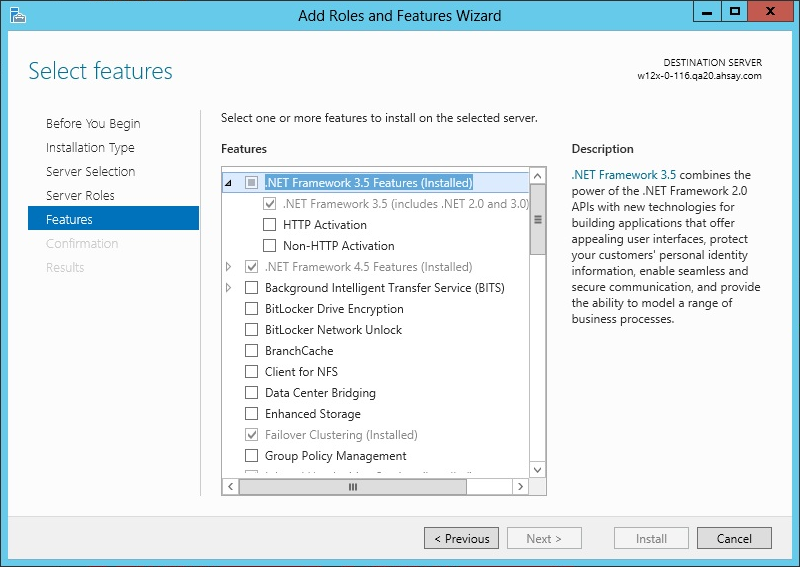
- If you are using Exchange server 2013 on Windows server 2012, please install ".Net Framework 3.5 Features" under Server Manager > Dashboard > Add Roles and Features Wizard > Feature Page
- Since 6.13.0.0, the Exchange server 2013 backup supports the VSS Exchange backup and does not required to spool the database to the hard disk, however the VSS Exchange backup still requires certain amount of disk space to operate. Microsoft suggested that some shadow copy mechanism may required to reserve 100% of the original database.
- It is recommended that the temporary directory be configured on a local drive.
- For Exchange server with Active Directory installed, a System State backup must be performed regularly with the MS Exchange server backup.
For Exchange server 2013 with database availability group (DAG) backup option, please refer to the next section for details.
Reference: http://msdn.microsoft.com/en-us/library/exchange/aa579091%28v=exchg.140%29.aspx