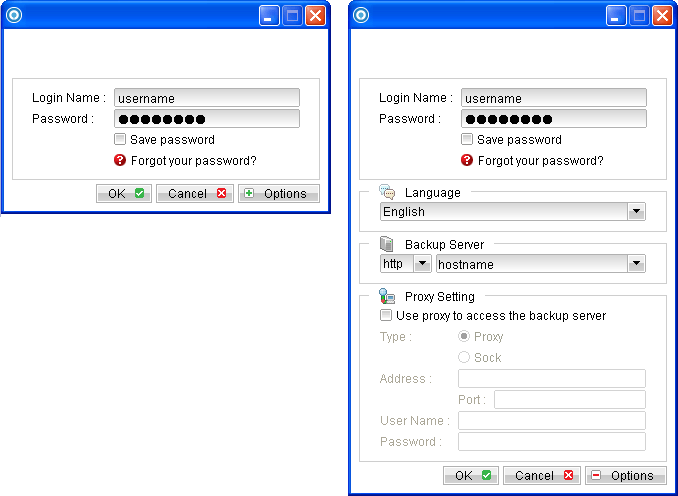
- Login to the backup application's user interface.
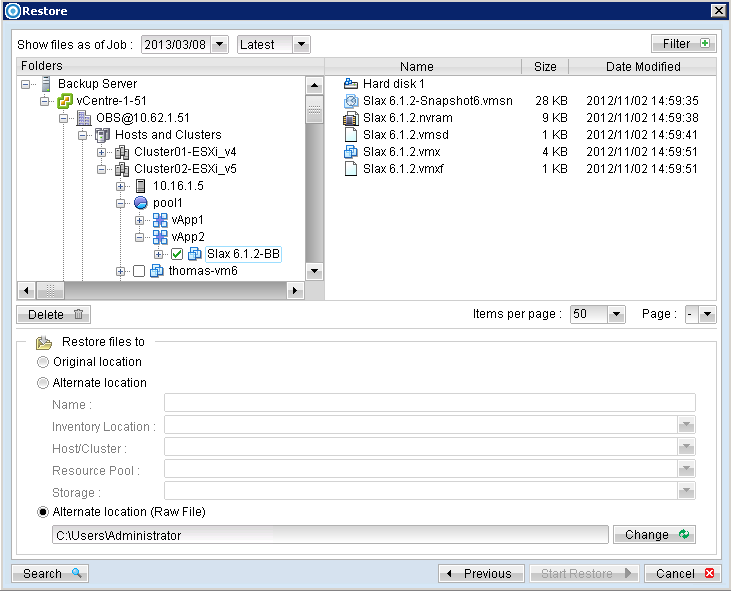
- Click on the [Restore] button and the corresponding backup set.
- Select the virtual machines to be restored and choose [Alternate location] for restore files to. One VM can be selected at a time. (All the available ESX/ESXi will be listed accordingly.)
- Click the [Start Restore] button to begin the restore process.
- When the restore process is completed, data of the selected virtual machines will be restored and registered to the specific location.
- For any virtual disk that was not restored (e.g. original backup source did not include all hard disks configured for the VM).
- Select the virtual machines to be restored and choose [Alternate location (Raw File)].
- Click on the [Change] button and select the path to save the restore files.
- Click the [Start Restore] button to begin the restore process.
- Transfer the VM files to another hypervisor manually.
- Open VMware vSphere Client
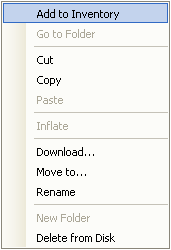
- Add VM to the inventory.
For backup client computer on Windows, double-click on the OBM desktop icon or right-click on the system tray icon:
Alternate location Select this option if you want to use AhsayOBM to search the available hypervisor.

Note: The setting is not available for the restore to 'Alternation location'.
Continue to the next steps for instruction to remove the missing hard disk from the virtual machine's configuration. Alternate location (Raw File) (non-VDDK mode) Select this option if you want to transfer the VM files to another hypervisor manually.
For original virtual machine with no snapshot
- Open VMware vSphere Client.
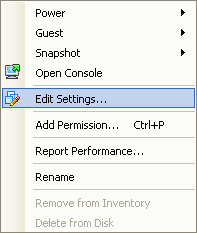
- Under inventory, right click on the newly restored virtual machine, select [Edit Settings].
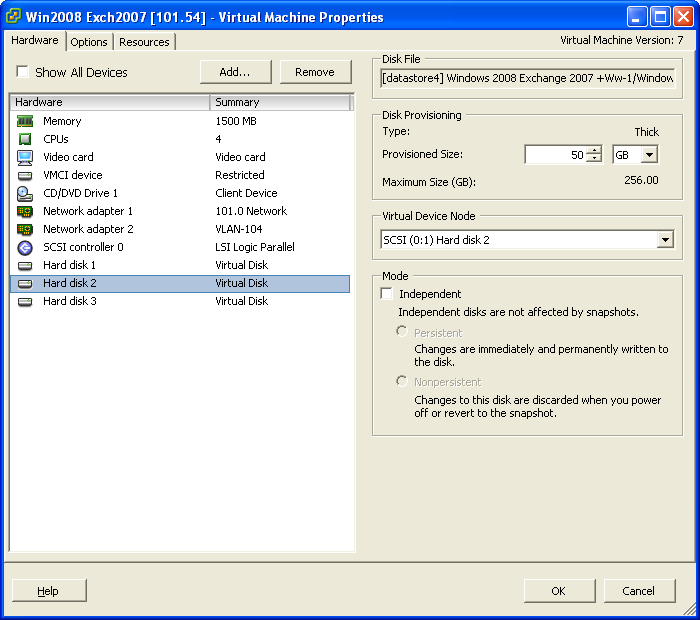
- For each virtual disk that was not restored, remove the corresponding [Hard disk] from [Hardware].
- Start the virtual machine afterward.
- Open VMware vSphere Client.
- Under inventory, right click on the newly restored virtual machine, select [Edit Settings].
- For each virtual disk that was not restored, remove the corresponding [Hard disk] from [Hardware].
- Remove the VM from inventory.
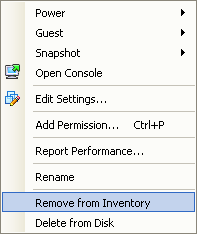
- Right click on the newly restored virtual machine; select [Remove from Inventory].
- Locate the virtual machine's folder location on the hypervisor.
- Delete the lines of the removed virtual disk.
- Open the corresponding ${VM-Name}.vmsd file at the following location with a text editor.
- Remove the corresponding lines.
- Perform the same steps for each snapshot.
- Save the changes afterward.
- Update the number of virtual disk.
- Open the corresponding ${VM-Name}.vmsd file at the following location with a text editor.
- Locate the numDisks parameter.
- Modify the line from:
- Perform the same steps for each snapshot.
- Save the changes afterward
- Add the VM back into the inventory.
- Remove any existing snapshot.
- Start the virtual machine.
For original virtual machine with snapshot (non-VDDK mode)
Important Serious problem may occur if the configuration files are incorrectly modified; it may prevent the virtual machine from starting. Please only perform the following procedures if you have in-depth knowledge on VMware product.
${VM-Location}\${VM-Name}.vmsd
Locate the line of all non existing virtual disk. Example: Snapshot 1, SCSI (0:2) Disk 2 is removed.
.encoding = "UTF-8"
snapshot.lastUID = "1"
snapshot.numSnapshots = "1"
snapshot.current = "1"
snapshot0.uid = "1"
snapshot0.filename = "Windows 2008 Snapshot1.vmsn"
snapshot0.displayName = "Snapshot1"
snapshot0.description = ""
snapshot0.createTimeHigh = "309233"
snapshot0.createTimeLow = "1291281261"
snapshot0.numDisks = "3"
snapshot0.disk0.fileName = "Windows 2008-1.vmdk"
snapshot0.disk0.node = "scsi0:0"
snapshot0.disk1.fileName = "Windows 2008-1.vmdk"
snapshot0.disk1.node = "scsi0:1"
snapshot0.disk2.fileName = "Windows 2008-2.vmdk"
snapshot0.disk2.node = "scsi0:2"
.encoding = "UTF-8"
snapshot.lastUID = "1"
snapshot.numSnapshots = "1"
snapshot.current = "1"
snapshot0.uid = "1"
snapshot0.filename = "Windows 2008 Snapshot1.vmsn"
snapshot0.displayName = "Snapshot1"
snapshot0.description = ""
snapshot0.createTimeHigh = "309233"
snapshot0.createTimeLow = "1291281261"
snapshot0.numDisks = "3"
snapshot0.disk0.fileName = "Windows 2008-1.vmdk"
snapshot0.disk0.node = "scsi0:0"
snapshot0.disk1.fileName = "Windows 2008-1.vmdk"
snapshot0.disk1.node = "scsi0:1"
${VM-Location}\${VM-Name}.vmsd
Example: Snapshot 1, if one of the disks is removed, updates the value of snapshot0.numDisks
.encoding = "UTF-8"
snapshot.lastUID = "1"
snapshot.numSnapshots = "1"
snapshot.current = "1"
snapshot0.uid = "1"
snapshot0.filename = "Windows 2008 Snapshot1.vmsn"
snapshot0.displayName = "Snapshot1"
snapshot0.description = ""
snapshot0.createTimeHigh = "309233"
snapshot0.createTimeLow = "1291281261"
snapshot0.numDisks = "3"
snapshot0.disk0.fileName = "Windows 2008-1.vmdk"
snapshot0.disk0.node = "scsi0:0"
snapshot0.disk1.fileName = "Windows 2008-1.vmdk"
snapshot0.disk1.node = "scsi0:1"
snapshot0.numDisks = "3"
To
snapshot0.numDisks = "2"
.encoding = "UTF-8"
snapshot.lastUID = "1"
snapshot.numSnapshots = "1"
snapshot.current = "1"
snapshot0.uid = "1"
snapshot0.filename = "Windows 2008 Snapshot1.vmsn"
snapshot0.displayName = "Snapshot1"
snapshot0.description = ""
snapshot0.createTimeHigh = "309233"
snapshot0.createTimeLow = "1291281261"
snapshot0.numDisks = "2"
snapshot0.disk0.fileName = "Windows 2008-1.vmdk"
snapshot0.disk0.node = "scsi0:0"
snapshot0.disk1.fileName = "Windows 2008-1.vmdk"
snapshot0.disk1.node = "scsi0:1"
Important: The restored virtual machine does not support the reversion of previous snapshots if they contain virtual disks not restored.