Product Version: ACB & OBM Operating System: Windows Problem Description: For VMware Fusion virtual machine installation on Windows platforms, if the mirrored desktop option is enabled, OBM / ACB cannot start after its installation. Upon further investigation, if the client agent is started in Debug Mode, the following error messages would be received in the command prompt: java.lang.SecurityException: Access is denied.
- at com.ahsay.ani.util.WindowsUtil.mkdir(Thread.java:597)
- at com.ahsay.afc.util.q.a(Unknown Source)
- at com.ahsay.afc.util.q.b(Unknown Source)
- at com.ahsay.obc.core.h.(Unknown Source)
Note:
Mirrored folders allow the Mac and the virtual machine to see the same content in certain personal data folders, for example the desktop folder.
Cause:
Mirrored folders option (http://kb.vmware.com/kb/1014127) is not supported for OBM / ACB.
Resolution:
To resolve the issue, please disable the 'Shared Folders (Mirrored Folders)' option to allow OBM / ACB to start.
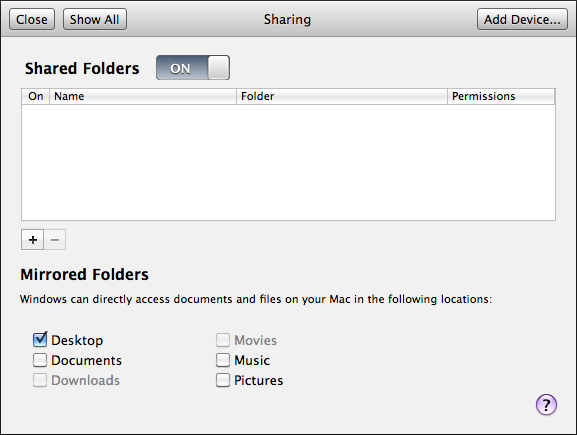 Figure 1.0 - VMware Fusionconsole (Settings)